How to migrate a website to new hosting made easy

Migrate

How to migrate a website to new hosting is not just a task; it’s an adventure filled with challenges and rewards. Whether you’re upgrading to a more powerful server or switching to a better service provider, understanding the migration process can make all the difference.

With the right preparations and a solid plan, you can ensure a smooth transition that minimizes downtime and preserves your site’s performance. This guide will walk you through the essential steps, technical considerations, and post-migration strategies to help your website thrive in its new home.

Website Migration Process
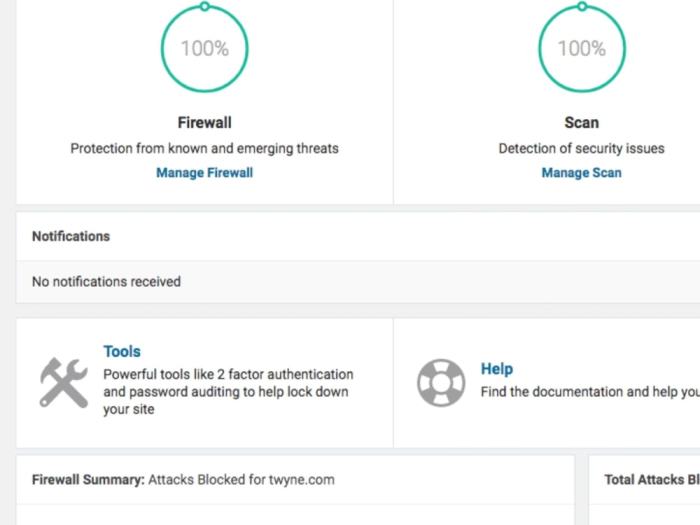
How to migrate a website to new hosting

Migrating a website to new hosting can seem daunting, but it’s a necessary task that ensures better performance, security, and support for your online presence. This process involves several key steps that must be followed carefully to ensure a smooth transition with minimal downtime.Preparation is crucial before embarking on the migration journey. Proper backup of all website files and databases, as well as thorough documentation of existing configurations and settings, can save significant headaches later.

Steps Required to Migrate a Website

To ensure a seamless website migration, it’s essential to follow these steps:

1. Backup Your Website

Create a complete backup of your files and databases. This ensures that if anything goes wrong during migration, you can restore your site to its original state.

2. Choose New Hosting Provider

Analyze and select a hosting provider that meets your website needs, including storage, bandwidth, and customer support.

3. Transfer Domain (if necessary)

If you are moving your domain name to a new registrar, start the transfer process by unlocking the domain and obtaining the authorization code.

4. Upload Files to New Host

Use FTP or your host’s file manager to upload your website files to the new hosting server.

5. Import Database

If your website uses a database, export it from your old host and import it into the new hosting environment.

6. Update Configuration Files

Modify any necessary configuration files with the new database connection details, file paths, or other changes.

7. Test the Website

Before pointing your domain to the new host, test your website using a temporary URL provided by the new hosting provider to ensure everything functions correctly.

8. Update DNS Records

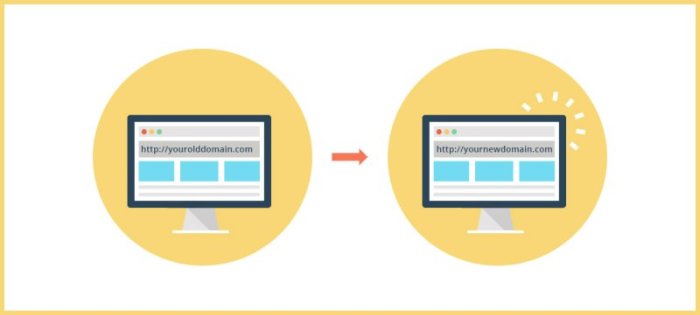
Change your domain’s DNS settings to point to the new hosting server. This step may take some time to propagate across the internet.

9. Final Testing and Verification

Once DNS changes have propagated, perform a thorough check of your website to ensure that all functions, links, and features are working.

Necessary Preparations Before Migration

Before migrating, it’s critical to make the following preparations to avoid complications and ensure a successful transition.

Create a Website Backup

Always back up your entire website, including files and databases, before proceeding with migration. Tools like cPanel or plugins can facilitate this process.

Document Your Current Setup

Keep a record of your current website settings, including configurations, email accounts, and any custom settings, to replicate them in the new environment.

Choose a Suitable Hosting Plan

Evaluate your website’s needs and select a hosting plan that provides adequate resources, performance, and scalability for future growth.

Checklist of Items to Verify After Migration

After the migration process is complete, it’s essential to verify various aspects of your website to ensure everything is functioning correctly. Use the following checklist as a guide:

Website Functionality

Confirm that all pages load correctly and that there are no broken links or missing images.

Database Connectivity

Ensure that your website can connect to the new database and access all necessary data.

SSL Certificate

Check that your SSL certificate is installed correctly if your site uses HTTPS.

Email Accounts

Verify that any email accounts related to your domain are set up and functioning correctly.

Settings

Review your settings to ensure they remain intact, including meta tags, redirects, and sitemap accessibility.

Performance Monitoring

Monitor website performance metrics such as load times and server response times to ensure the new hosting environment meets expectations.

Backup Plan

Establish a new backup routine for your website on the new hosting provider to safeguard against data loss.

“Preparation and thorough testing are key components in ensuring a seamless website migration.”

Technical Considerations

When migrating a website, several technical considerations are crucial to ensure a smooth transition. Properly addressing these areas can prevent downtime, data loss, and performance issues. Understanding the significance of DNS configuration, evaluating different hosting types, and being aware of common technical challenges can greatly affect the outcome of your migration.

Importance of DNS Configuration

DNS (Domain Name System) configuration plays a pivotal role during website migration. Correctly managing DNS settings ensures that traffic is directed to the new hosting server without interruption. A misconfigured DNS can lead to downtime, which can affect user access and negatively impact rankings. It’s important to:

  • Update DNS records to point to the new server’s IP address, ensuring changes propagate correctly.
  • Utilize TTL (Time to Live) settings to control how long DNS records are cached by users’ ISPs, allowing for quicker updates during the transition.
  • Set up a temporary subdomain to validate the new hosting setup before making the final switch, minimizing risk.

A careful approach to DNS management can mitigate potential issues and support a seamless transition for your website visitors.

Pros and Cons of Different Hosting Types

Choosing the right hosting type is essential for performance and scalability during your migration. Each hosting type offers unique advantages and disadvantages:

  • Shared Hosting: Cost-effective and beginner-friendly; however, it often lacks performance reliability and resources can be limited due to multiple sites sharing the same server.
  • VPS Hosting: Provides dedicated resources, allowing for better performance and customization. The downside can be higher costs and the need for management skills.
  • Dedicated Hosting: Offers complete control and maximum performance since resources are not shared. On the flip side, this option is generally the most expensive and requires server management expertise.

Selecting the right hosting type depends on your website’s traffic, performance needs, and budget.

Common Technical Issues and Their Solutions

During the migration process, you may encounter several technical issues that can disrupt the launch of your new website. Understanding these common problems and knowing how to address them can save time and stress:

  • Data loss during transfer can occur if backups are not adequately managed. Always ensure you have complete backups before migrating.
  • Website downtime can happen due to DNS propagation delays. Monitoring your DNS changes and configuring a lower TTL can help minimize this issue.
  • Compatibility issues can arise, especially if the new host uses different software versions. Testing the website in a staging environment can help catch these issues before the final migration.

By being aware of these potential hiccups and preparing solutions in advance, you can ensure a smoother migration experience for your website.

Post-Migration Marketing Strategies

Migrate

Post-migration is a crucial phase in the website transition process, as it involves maintaining and enhancing your site’s visibility and performance. Implementing effective marketing strategies after migration can help sustain or even improve your search engine rankings, promote your newly hosted website through social media, and leverage video marketing to enhance overall visibility and engagement.

Maintaining or Improving Search Engine Rankings

After migrating your website, it is essential to focus on strategies that ensure your search engine rankings remain stable or improve. Here are some effective strategies to consider:

  • Conduct a complete audit of your new site to confirm that all pages have been properly redirected and indexed by search engines.
  • Update your sitemap and submit it to search engines to ensure they can find and index your new site structure efficiently.
  • Monitor your website’s performance closely using analytics tools to identify any drops in traffic or rankings.
  • Implement a content update strategy to refresh existing content and add new relevant content that aligns with user search intent.

Ensuring all your redirects are functioning properly is crucial; a broken link can lead to lost traffic and negatively impact .

The Role of Social Media in Promoting a Newly Hosted Website

Social media serves as a powerful platform to promote your newly hosted website, driving traffic and engaging with your audience. The following strategies can enhance your social media promotion efforts:

  • Share posts that highlight the benefits of your new website hosting, such as improved speed or user experience.
  • Create engaging content like polls, quizzes, or contests to encourage user interaction and increase visibility.
  • Utilize targeted ads to reach specific demographics interested in your products or services, driving traffic to your new site.
  • Encourage your followers to share your content, expanding your reach to their networks and increasing brand awareness.

Social media engagement can significantly amplify your website’s visibility, leading to increased traffic and improved performance.

Leveraging Video Marketing to Enhance Visibility

Video marketing can significantly boost your website’s visibility after migration. It allows you to convey information engagingly and effectively. Here are some ways to leverage video marketing:

  • Create a welcome video that explains the benefits of your new hosting environment and highlights any new features or services.
  • Produce tutorial videos that guide users on how to navigate your new site or use new functionalities.
  • Share customer testimonial videos that showcase positive experiences with your brand, fostering trust and credibility.
  • Use live streams on platforms like Facebook or Instagram to engage with your audience in real-time, promoting your new website and answering questions.

Videos not only increase engagement but also improve your website’s , as search engines favor rich media content.

Ultimate Conclusion

In conclusion, successfully migrating your website to new hosting can open doors to enhanced performance and user experience. By following the Artikeld process and addressing technical aspects, you can rest assured that your site will not only survive the move but also flourish. Embrace the journey, and watch your online presence reach new heights.

Quick FAQs

What is website migration?

Website migration refers to the process of transferring your website’s files, data, and settings from one hosting provider to another or changing the structure of your site.

How long does website migration take?

The duration of website migration can vary, typically ranging from a few hours to a couple of days, depending on the size of the site and the complexity of the migration.

Will my website go offline during migration?

With proper planning and execution, you can minimize downtime, ensuring your website remains accessible during the transition.

Do I need technical skills to migrate my website?

While some technical knowledge can be helpful, many hosting providers offer tools and support to assist with migration, making it manageable even for beginners.

What should I do if something goes wrong during migration?

If issues arise during migration, having a backup and your documentation handy will allow you to restore your site quickly and troubleshoot any problems.
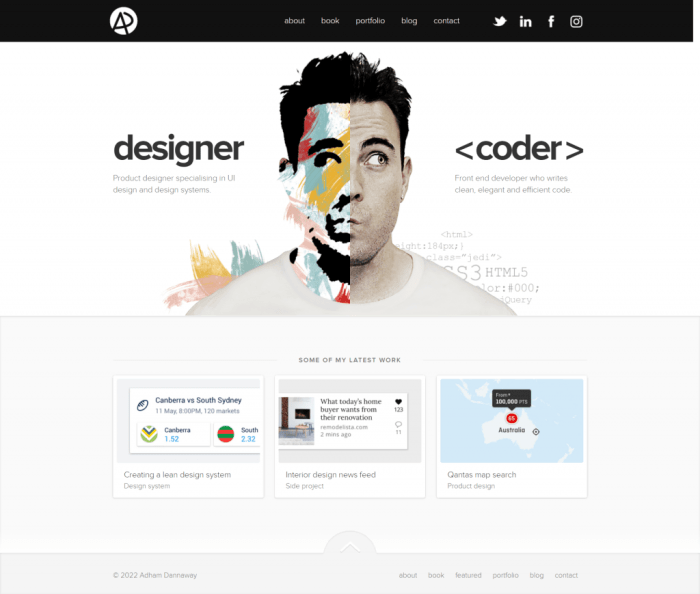
Web development portfolio projects ideas to inspire creativity

Web development portfolio projects ideas

Kicking off with Web development portfolio projects ideas, this opening paragraph is designed to captivate and engage readers, setting the stage for a journey through innovative creations that showcase your skills. The world of web development is vast, offering numerous opportunities to demonstrate your expertise through unique projects that not only highlight your technical abilities but also enhance user experiences.

In this guide, we’ll explore a variety of project ideas that cater to different aspects of web development, from responsive design to integrating marketing elements. Whether you’re a beginner or an experienced developer, these concepts will help you create a compelling portfolio that stands out in today’s competitive landscape.

Web Development Portfolio Project Ideas

Creating a web development portfolio is crucial for showcasing skills and attracting potential clients or employers. A well-rounded portfolio should reflect proficiency in various technologies and design principles, capturing the essence of modern web development.

Innovative Web Development Projects

An effective portfolio should include a variety of projects that demonstrate a range of skills. Below is a curated list of 10 innovative web development project ideas:

  • Personal Blog with CMS: Develop a personal blogging platform that allows for content management, user authentication, and commenting features.
  • E-commerce Store: Create a complete e-commerce solution with product listings, shopping cart functionality, and payment integration.
  • Portfolio Website: Design a visually appealing portfolio site to showcase your work, incorporating animations and transitions for an enhanced user experience.
  • Social Media Dashboard: Build a dashboard that aggregates feeds from various social platforms, allowing users to manage their accounts in one place.
  • Recipe Finder App: Develop an interactive web app that fetches recipes based on user-input ingredients, using APIs for real-time data.
  • Weather Application: Create a weather forecast app that uses geolocation to provide users with real-time updates and forecasts for their area.
  • Event Booking System: Design a platform for event bookings, featuring calendar integration and email notifications for users.
  • Online Learning Portal: Build a platform for online courses that includes user registration, video hosting, and quizzes for assessment.
  • Charity Fundraising Website: Create a site for a non-profit organization focused on fundraising, incorporating donation forms and impact tracking.
  • Fitness Tracker: Develop a web application that allows users to log workouts, track progress, and set fitness goals.

Portfolio Layout Design

A modern web development portfolio should prioritize user experience and aesthetics. The layout must be clean, responsive, and easy to navigate, highlighting key projects prominently. Considerations for an effective layout include:

  • Intuitive Navigation: Ensure that the menu is straightforward, allowing users to access information quickly.
  • Visual Hierarchy: Use size, color, and spacing to guide users’ attention to important elements.
  • Consistent Branding: Maintain a cohesive theme throughout the portfolio that reflects personal branding.
  • Project Highlights: Feature selected projects with engaging descriptions and visuals to draw attention.
  • Responsive Design: Implement a fluid grid layout that adjusts seamlessly across devices, enhancing user accessibility.

Importance of Responsive Design

Responsive design is essential in modern web development, ensuring that websites function well on a variety of devices and screen sizes. This approach enhances user experience, reduces bounce rates, and improves search engine rankings.Examples of responsive design principles include:

  • Flexible Grids: Utilize CSS grid or flexbox to create layouts that adapt dynamically to different screen dimensions.
  • Media Queries: Implement CSS media queries to apply styles based on the viewport size, ensuring optimal display on all devices.
  • Fluid Images: Use scalable images that adjust to fit their containers, preventing distortion and ensuring clarity.

“Responsive design is not just about making things smaller; it’s about adapting to the user’s needs.”

Incorporating these elements into your projects will not only enhance the user experience but also demonstrate your adaptability as a developer in today’s diverse digital landscape.

Integrating Marketing Elements in Web Development

The integration of marketing elements in web development is crucial for creating a successful online presence. A well-designed website not only serves as a digital storefront but also acts as a powerful marketing tool. By incorporating effective marketing strategies into web projects, developers can enhance visibility, improve user experience, and ultimately drive conversions. This section will delve into essential strategies that include search engine marketing, website security, and social media integration to optimize web projects for better performance and marketing effectiveness.

Search Engine Marketing Techniques

Incorporating search engine marketing (SEM) techniques into web development enhances a website’s visibility in search engine results, driving traffic and increasing potential customer engagement. The strategies include the following:

  • Optimization: Researching and integrating relevant s within the site’s content, meta tags, and descriptions ensures that the website is indexed correctly by search engines.
  • Landing Page Design: Creating dedicated landing pages for specific campaigns or products improves user experience, focusing on conversion rates through effective calls to action.
  • Quality Content Creation: Regularly updating the website with valuable, informative content not only attracts search engine algorithms but also builds authority and trust among visitors.
  • Responsive Design: Developing a mobile-friendly website is essential, as search engines prioritize responsive sites for their accessibility and user experience.

Website Security and User Trust

Enhancing website security is paramount, as it directly impacts user trust and project success. A secure site reassures visitors about their data protection, fostering trust and encouraging engagement. Key security measures include:

  • SSL Certificates: Implementing Secure Socket Layer (SSL) certificates encrypts data exchanged between users and the site, safeguarding sensitive information.
  • Regular Software Updates: Keeping all software, plugins, and frameworks up to date prevents vulnerabilities that could be exploited by cybercriminals.
  • Strong Password Policies: Encouraging the use of strong passwords and implementing two-factor authentication enhances user accounts’ security.
  • Regular Backups: Regularly backing up website data ensures that information can be restored in case of a security breach or data loss.

Social Media Integration Benefits

Integrating social media into web development can significantly enhance promotional efforts and user engagement. A well-executed social media strategy amplifies reach, strengthens branding, and fosters community interaction. Important aspects of social media integration include:

  • Social Sharing Buttons: Adding buttons for users to easily share content on their social platforms increases visibility and potential traffic.
  • Embedded Feeds: Integrating live social media feeds can provide fresh content, keeping the website dynamic and engaging for visitors.
  • Social Login Options: Allowing users to log in using their social media accounts simplifies the registration process, improving user experience and retention.
  • Analytics Tracking: Utilizing tools to track social media engagement helps in analyzing user behavior and tailoring content to better meet their preferences.

Enhancing Visibility and Engagement

Web development portfolio projects ideas

In the digital landscape, enhancing visibility and engagement is critical for the success of any web project. This involves leveraging various strategies to not only attract visitors but also keep them engaged with the content. The combination of video marketing, social bookmarking, and video streaming optimization plays a pivotal role in achieving these goals.

Implementing Video Marketing Strategies

Incorporating video marketing within web projects can significantly boost engagement levels. Videos are effective because they capture attention quickly and convey information in a digestible format. Here are several strategies to implement video marketing:

  • Embed Videos: Including videos directly on your website creates a more interactive experience. Aim for short, high-quality videos that provide value to the viewer.
  • Utilize Video : Optimize video titles, descriptions, and tags with relevant s to improve search engine visibility. This helps in attracting organic traffic.
  • Create Shareable Content: Produce videos that encourage sharing across social media platforms. Engaging content, like tutorials or entertaining clips, can increase reach and visibility.
  • Leverage Live Streaming: Engage your audience in real-time through live Q&A sessions, product launches, or behind-the-scenes content. This fosters a sense of community and immediacy.

Promoting Websites through Social Bookmarking and Networking

Social bookmarking and networking are vital for increasing website visibility and encouraging user interaction. By sharing links to your web pages on social bookmarking sites, you can drive targeted traffic. Below are effective methods for promoting websites:

  • Choose the Right Platforms: Focus on popular social bookmarking sites like Reddit, Digg, or StumbleUpon. Each platform has a unique audience, so tailor your content accordingly.
  • Create Compelling Titles and Descriptions: When bookmarking content, ensure that the titles and descriptions are engaging and accurately describe the content. This increases the chances of clicks.
  • Engage with the Community: Actively participate in discussions related to your niche. Providing value through comments or responses can foster trust and encourage users to visit your website.
  • Utilize Visuals: Incorporate eye-catching images or infographics when sharing bookmarks. Visuals can enhance engagement and entice users to explore your content further.

Optimizing Websites for Video Streaming

Improving user experience and retention in video streaming requires optimizing your website’s functionalities. Key methods for achieving this include:

  • Ensure Fast Load Times: Optimize your video files for quicker loading. Use formats that balance quality and file size to enhance speed.
  • Responsive Design: Implement a responsive design that adapts to various devices and screen sizes. This ensures users have a seamless experience regardless of how they access your content.
  • Use Adaptive Bitrate Streaming: This technology adjusts the video quality based on the user’s internet speed, providing a smoother viewing experience without interruptions.
  • Integrate Clear Navigation: Make it easy for users to find and access video content on your site. Utilize clear menus, search functions, and filters for better user experience.

Final Review

Web development portfolio projects ideas

In conclusion, the right web development portfolio projects can significantly boost your professional presence, showcasing both your creativity and technical prowess. As you embark on these project ideas, remember that each creation is an opportunity to tell your unique story and connect with potential clients or employers. Stay inspired and keep building!

Popular Questions

What should I include in my web development portfolio?

Include diverse projects that showcase your skills, a brief description of each project, the technologies used, and the challenges faced.

How do I choose the right projects for my portfolio?

Select projects that highlight your strengths and interests, and ensure they demonstrate a range of skills.

Is it important to have a personal website for my portfolio?

Yes, a personal website acts as an online resume, allowing potential employers to easily view your work and contact you.

How can I make my portfolio stand out?

Focus on user experience, include interactive elements, and showcase unique projects that reflect your personal style.

Should I update my portfolio regularly?

Yes, regularly updating your portfolio with new projects and skills keeps it relevant and showcases your growth as a developer.

Top JavaScript frameworks 2025 Unveiling the Future

Top 7 Best JavaScript Frameworks for 2023 - Area19Delegate

Top JavaScript frameworks 2025 are set to redefine the landscape of web development, bringing innovative features and improved performance to the forefront. As we look ahead, several frameworks are positioned to dominate the market, each with unique benefits that cater to diverse development needs.

In this discussion, we’ll delve into the characteristics and advantages of each leading framework while also considering their real-world performance. By understanding these frameworks, developers can make informed choices that align with current trends and user expectations.

Top JavaScript Frameworks in 2025

The Most Popular JavaScript Frameworks of 2023

As we look toward 2025, the landscape of JavaScript frameworks continues to evolve rapidly. With the increasing emphasis on performance, scalability, and developer experience, some frameworks are emerging as clear leaders in the field. This discussion explores the top JavaScript frameworks that are projected to dominate in 2025, highlighting their key features, benefits, and how they stack up against each other in real-world applications.

Leading JavaScript Frameworks

Several frameworks have established themselves as the go-to options for developers. Their popularity stems from robust functionalities and the ability to cater to a variety of application needs. Here’s a closer look at the frameworks expected to lead the way in 2025:

  • React: Developed and maintained by Facebook, React remains a top choice for building user interfaces, particularly single-page applications. Its component-based architecture allows for reusable code, which significantly enhances development efficiency. In 2025, React is expected to maintain its popularity due to its vast ecosystem, including tools like React Router and state management libraries like Redux.
  • Vue.js: Known for its gentle learning curve, Vue.js offers flexibility and ease of integration into projects. Its progressive nature allows developers to adopt it incrementally, making it ideal for both small and large-scale applications. Vue’s community-driven growth and enhancements are expected to keep it competitive in 2025.
  • Angular: With strong backing from Google, Angular provides a comprehensive solution for building dynamic web applications. Its two-way data binding and powerful CLI tools streamline development processes. Furthermore, Angular’s focus on enterprise-level applications makes it a strong contender for larger projects in 2025.
  • Svelte: Svelte is gaining traction due to its unique approach of compiling components at build time rather than in the browser. This results in smaller bundle sizes and faster performance. As more developers seek efficient solutions, Svelte’s popularity is projected to rise significantly in 2025.

Key Features and Benefits

Each framework comes with its unique set of features and benefits that cater to different development needs. Understanding these can help developers choose the right tool for their projects.

  • React
    • Component-based architecture for reusable code
    • Virtual DOM for enhanced performance
    • Strong community support and rich ecosystem
  • Vue.js
    • Ease of integration with existing projects
    • Reactive data binding for efficient updates
    • Comprehensive documentation for quick learning
  • Angular
    • Robust support for building enterprise applications
    • Comprehensive set of tools for testing and deployment
    • Enhanced performance with Ahead-of-Time (AOT) compilation
  • Svelte
    • Compiles to highly optimized JavaScript code
    • No virtual DOM, leading to faster updates
    • Simplified state management with less boilerplate

Performance Metrics in Real-World Applications

When evaluating the performance of these frameworks in real-world scenarios, various metrics can determine their efficiency and suitability for different types of applications.

Framework Load Time (s) Time to Interactive (s) Bundle Size (KB)
React 0.9 1.5 42
Vue.js 0.8 1.3 30
Angular 1.2 2.0 150
Svelte 0.7 1.0 25

These metrics indicate that Svelte and Vue.js lead in terms of load time and overall efficiency. In contrast, Angular, while powerful, tends to have larger bundle sizes and longer load times due to its comprehensive feature set. Overall, the choice of framework in 2025 will largely depend on the specific requirements of the project, developer preferences, and the anticipated scale of the application.

Search Engine Marketing Strategies for JavaScript Frameworks

In the ever-evolving landscape of digital marketing, JavaScript frameworks play a pivotal role in enhancing user experience and performance on websites. Effective Search Engine Marketing (SEM) strategies tailored for these frameworks can significantly boost visibility and traffic. This section explores how to leverage SEM to promote JavaScript frameworks effectively and provides insights into successful campaigns along with essential tools.

Effective SEM Strategies for JavaScript Frameworks

To maximize the impact of SEM for JavaScript frameworks, it’s crucial to adopt a multifaceted approach that aligns with the dynamic nature of web development. Central to this is the integration of techniques tailored for JavaScript-heavy sites. By focusing on technical , marketers can ensure that their frameworks are easily discoverable and indexable by search engines.One effective strategy involves optimizing loading speeds and ensuring that content is accessible to search engine crawlers.

For instance, using server-side rendering (SSR) can dramatically enhance the crawlability of JavaScript applications. Additionally, implementing structured data can help search engines understand the context of the content better, resulting in improved visibility in search results.

Successful Campaign Examples Utilizing JavaScript Frameworks

Several companies have executed successful SEM campaigns that prominently feature JavaScript frameworks, showcasing the versatility and effectiveness of these technologies. A notable example is the campaign by Airbnb, which utilized React.js to create a dynamic and engaging user interface. Their emphasis on speed and user experience not only improved their site’s usability but also contributed to their robust search rankings.Another success story is that of Netflix, which leverages Node.js for server-side operations, enhancing performance and scalability.

Their marketing campaigns have focused on promoting these advantages, ultimately leading to significant market share in the streaming industry.

Essential Tools for Optimizing Marketing Efforts

To streamline and enhance SEM efforts for JavaScript frameworks, utilizing the right tools is essential. Below is a list of critical tools that can aid in optimizing marketing strategies:

  • Google Analytics: Offers comprehensive insights into user behavior and traffic sources, helping marketers adjust their strategies accordingly.
  • SEMrush: A powerful tool for research, competitor analysis, and tracking SEM performance, allowing teams to fine-tune their campaigns.
  • Lighthouse: A tool for auditing web performance, accessibility, and best practices for JavaScript applications.
  • Hotjar: Provides user behavior analytics and feedback tools, helping marketers understand how users interact with their content.

These tools not only enhance the effectiveness of SEM campaigns but also provide valuable metrics for continuous improvement and strategic decision-making.

“Effective SEM strategies for JavaScript frameworks hinge upon a combination of technical and user experience, creating a seamless interaction that drives traffic and engagement.”

Social Media Promotion for JavaScript Frameworks

Top 7 Best JavaScript Frameworks for 2023 - Area19Delegate

Promoting JavaScript frameworks through social media is essential in today’s digital landscape. Effective strategies can elevate visibility, enhance community engagement, and ultimately drive adoption. This section delves into proven methods for leveraging social media channels to enhance the presence of specific JavaScript frameworks.

Effective Methods for Leveraging Social Media

Engaging with the developer community and potential users on social media can significantly boost the visibility of JavaScript frameworks. Here are some effective methods to consider:

  • Targeted Content Sharing: Create and share informative blog posts, tutorials, and case studies that highlight the framework’s features and benefits. Tailoring content to specific platforms enhances outreach.
  • Engagement Through Polls and Questions: Utilize polls and questions to foster interaction. This not only engages the audience but also provides valuable insights into their preferences and pain points.
  • Showcase User-Generated Content: Encourage users to share their projects built with the framework. Highlighting this content not only builds community but validates the framework’s utility and effectiveness.
  • Collaborate with Influencers: Partnering with key influencers in the tech space can help reach a broader audience. Influencers can provide authentic testimonials and showcase the framework through their established channels.

Content Calendar for a Campaign Focused on a Specific JavaScript Framework

A well-structured content calendar can streamline social media efforts and ensure consistent messaging. Below is a sample calendar for a campaign promoting the React framework over one month:

Week Content Type Platform Description
Week 1 Blog Post Medium & Twitter Introduction to React – Key Features and Advantages
Week 2 Video Tutorial YouTube & Instagram Building Your First App with React
Week 3 Live Q&A Session Facebook Live Answering Common Questions About React Development
Week 4 User Showcase Post LinkedIn & Twitter Highlighting Amazing Projects Built with React by Community Members

Impact of Video Marketing and Streaming on Visibility

Video marketing has become a powerful tool for promoting JavaScript frameworks, offering a dynamic way to convey complex information. The impact of video content can be profound, enhancing engagement and understanding. Here are some key points regarding its effectiveness:

  • Enhanced Engagement: Videos are more likely to capture attention than text-based content. They can simplify explanations and demonstrate the framework’s capabilities in real-time.
  • Shareability: Engaging video content is highly shareable across social media platforms, increasing the potential reach and visibility of the framework.
  • Live Streaming Opportunities: Streaming live coding sessions or tutorials allows real-time interaction with the audience, fostering community engagement and providing immediate feedback.
  • Clear Demonstrations: Videos can effectively showcase the practical applications of a framework, depicting how it can solve real-world problems, thus attracting potential users.

Video content can significantly boost user retention and increase the likelihood of conversions, making it an invaluable asset in social media strategies.

Final Conclusion

As we wrap up our exploration of Top JavaScript frameworks 2025, it’s clear that these frameworks not only enhance productivity but also offer robust solutions for modern web applications. Staying updated on these trends will empower developers and businesses to harness the full potential of technology in their projects.

Frequently Asked Questions

What are the top JavaScript frameworks for 2025?

The top JavaScript frameworks anticipated for 2025 include React, Angular, Vue.js, and Svelte, each offering unique features and capabilities.

Why should I choose a framework for my project?

Choosing a framework can significantly enhance development speed, maintainability, and scalability of your web applications.

How do the frameworks compare in performance?

Performance can vary based on application complexity and use cases, but benchmarks generally indicate that React and Svelte perform exceptionally well in most scenarios.

Are there frameworks better suited for specific types of projects?

Yes, for instance, React is often favored for dynamic and large-scale applications, while Vue.js is popular for smaller projects due to its simplicity.

What role does community support play in choosing a framework?

A strong community can provide valuable resources, plugins, and support, making it easier to troubleshoot issues and enhance your development process.

Figma vs Adobe XD for web design Tools Comparison

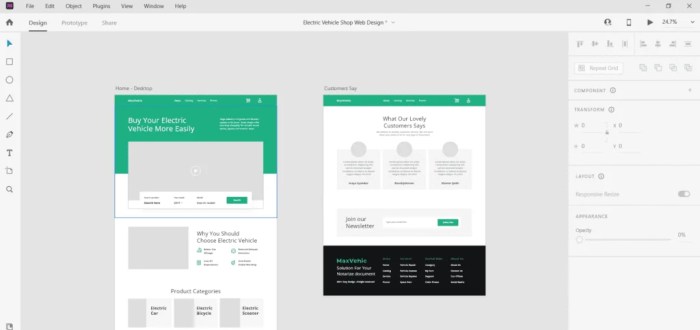
Figma vs. Adobe XD -- which is the better design tool?

In the ever-evolving landscape of web design, Figma vs Adobe XD for web design stands out as a pivotal debate for designers seeking the optimal tool for their projects. Both platforms boast unique features and functionalities tailored to enhance the design process, but choosing the right one can significantly impact your productivity and creativity. This discussion dives into their key attributes, usability, and collaboration capabilities, setting the stage for an informed decision.

As we explore the intricacies of Figma and Adobe XD, we’ll delve into their performance differences, prototyping features that streamline workflows, and how each integrates with essential marketing and development tools. Understanding these aspects will ultimately guide you in selecting the best software for your web design needs.

Figma vs Adobe XD Overview

In the dynamic landscape of web design, Figma and Adobe XD stand out as leading tools employed by designers worldwide. Each platform offers unique features, user interfaces, and collaboration capabilities tailored for various design needs. Understanding the strengths and weaknesses of both can help you choose the right tool for your specific project.Figma is a cloud-based design tool that excels in real-time collaboration, making it a favorite among teams.

Adobe XD, part of the Adobe Creative Cloud suite, provides a robust design environment with powerful prototyping capabilities. These differences highlight distinct workflows and user experiences in the design process.

Key Features Comparison

Both Figma and Adobe XD come with a suite of powerful features that cater to web design. The following points illustrate their respective capabilities:

  • Design and Prototyping: Figma allows for vector graphics editing and provides an intuitive interface for creating high-fidelity prototypes. Adobe XD also offers vector editing but incorporates advanced prototyping features such as voice triggers and auto-animate transitions.
  • Plugins and Integrations: Figma supports a wide range of plugins that enhance workflow and add functionality. Adobe XD also has integrations with other Adobe products, which can streamline the design process for those already embedded in the Adobe ecosystem.
  • Responsive Design Tools: Figma’s constraints and layout grids aid in creating responsive layouts efficiently. Adobe XD features responsive resize tools that adjust design elements based on screen size automatically.

User Interface and Ease of Use

The user interface of both Figma and Adobe XD has been designed with usability in mind, yet they exhibit notable differences:

  • Learning Curve: Figma’s interface is often praised for its simplicity and accessibility, making it easier for newcomers to get started. Adobe XD, while intuitive, may require some familiarization, especially for users who are new to Adobe’s design language.
  • Workspace Customization: Figma allows users to customize their workspace extensively, enabling a personalized design environment. Adobe XD offers some customization but is more rigid in structure.
  • Tool Availability: Figma places tools directly in the toolbar, providing immediate access to features. In contrast, Adobe XD organizes tools within a panel system, which can sometimes complicate access for quick edits.

Collaboration Capabilities

Collaboration is a critical aspect of modern web design, and both tools offer features to facilitate teamwork:

  • Real-time Collaboration: Figma shines in this area by allowing multiple users to work on the same design simultaneously, seeing changes in real-time. This feature makes it ideal for teams operating in different locations.
  • Commenting and Feedback: Figma includes a built-in commenting feature that enables stakeholders to leave feedback directly on the design. Adobe XD has a similar feature, but it typically requires sharing a link, which can create extra steps.
  • Version Control: Figma automatically saves design versions, allowing users to revert to previous states easily. Adobe XD also offers version history but may not be as seamless as Figma’s approach.

Performance and Functionality

Figma vs Adobe XD: Which Design Tool Should You Go With? - Pttrns

When it comes to web design, the choice between Figma and Adobe XD often hinges on their performance and functionality. Both tools are powerful, but they cater to different workflows and project sizes. Understanding their performance metrics and features can significantly influence the efficiency of your design process.

Performance Differences

Figma and Adobe XD exhibit distinct performance characteristics that can impact your web design projects. Figma operates entirely in the cloud, allowing for real-time collaboration among team members. This accessibility means that it can handle multiple users working on the same document without lagging, making it ideal for teams that need to communicate seamlessly. On the other hand, Adobe XD, being a desktop application, can sometimes experience slowdowns with larger files, particularly when multiple artboards or complex assets are involved.

The cloud-based nature of Figma allows for smoother performance during collaborative sessions.

Prototyping Features

Both Figma and Adobe XD offer robust prototyping capabilities designed to enhance the design workflow. Figma allows designers to create interactive prototypes directly within the app, providing tools for transitions, overlays, and interactive components. Its prototyping features are intuitive, enabling designers to link frames with ease, visualize user flows, and test interactions without leaving the design environment.Adobe XD also delivers strong prototyping functionalities.

It features an Auto-Animate option that allows for smooth transitions between artboards, making presentations more dynamic. Additionally, the voice prototyping feature in Adobe XD enables designers to create voice-enabled interactions, which is particularly useful for projects that incorporate voice UI elements.

Advantages and Limitations in Large Projects

When dealing with large projects, both Figma and Adobe XD have their unique advantages and limitations that can affect the overall workflow. For Figma, the main advantage lies in its cloud-based nature, which allows for easy scalability. Teams can work on large projects without worrying about file size limitations, as everything is stored online. This also means that updating designs is a breeze, as changes are reflected in real-time for everyone involved.

However, reliance on internet connectivity can be a drawback, particularly in environments with unstable connections.Adobe XD shines in its performance for offline work, allowing designers to focus on large projects without interruptions from internet issues. Its integration with Adobe’s Creative Cloud also facilitates the use of assets across other Adobe applications, which can be a significant efficiency booster. However, as projects grow in complexity, users may experience slower performance and longer loading times, which can hinder productivity.

The choice between Figma and Adobe XD often comes down to team size, project complexity, and the need for real-time collaboration.

Integration with Marketing and Development Tools

In the dynamic landscape of web design, the ability to seamlessly integrate design tools with marketing and development platforms is crucial. Both Figma and Adobe XD offer unique advantages in this area, helping designers effectively share their work and collaborate closely with stakeholders. This section will explore how each tool connects with social media platforms, web hosting services, and tools for optimized web design.

Integration with Social Media Platforms

Figma and Adobe XD enable designers to share their creations directly on various social media platforms, streamlining the feedback process and enhancing collaboration. Figma simplifies sharing designs through public links that can be easily posted on platforms like Twitter, Facebook, and LinkedIn. The collaborative nature of Figma allows team members to comment and provide feedback in real-time, making it ideal for social media sharing.Adobe XD also offers robust integration with social media.

Designers can generate sharable links to prototypes that can be showcased on platforms like Instagram or LinkedIn. Furthermore, Adobe XD allows users to create design specs that can be shared with developers and stakeholders, ensuring that everyone is on the same page regarding the design intent and functionalities.

Compatibility with Web Hosting Services

When it comes to deploying designs, Figma and Adobe XD provide various options for compatibility with web hosting services. Figma’s cloud-based nature allows users to easily export assets and design specifications for seamless integration into web applications. Designers can export files in multiple formats, making it convenient for developers to deploy designs across various hosting environments.Adobe XD offers similar functionalities, with options to export assets and generate design specifications ready for implementation.

The integration with platforms like WordPress, Squarespace, and Webflow makes it easier for designers to ensure their designs are accurately represented on the web. Both tools enable the export of responsive design components that fit into different web hosting ecosystems without losing visual fidelity.

Tools for Website Optimization

To maximize the effectiveness of web designs, integrating tools alongside Figma and Adobe XD can significantly enhance a website’s performance. Here’s a selection of tools that work effectively with both design platforms:

  • Google Analytics: Provides valuable insights into user behavior and traffic sources, allowing designers to refine their designs based on real user data.
  • SEMrush: Offers comprehensive strategies and analysis which can influence design choices to enhance discoverability.
  • Ahrefs: A powerful tool for backlink analysis and research, helping designers understand the competitive landscape and optimize their designs accordingly.
  • Yoast : For WordPress users, Yoast helps ensure that on-page is considered in the design process, promoting better visibility on search engines.
  • Google Search Console: Assists in monitoring website performance in Google searches, providing insights that can direct future design iterations.

Integrating these tools with Figma or Adobe XD not only enhances the design process but also ensures that the resulting websites perform well in search engine rankings.

Ending Remarks

Figma vs. Adobe XD -- which is the better design tool?

In summary, the choice between Figma and Adobe XD for web design ultimately hinges on your specific requirements, workflow, and team dynamics. Each tool offers compelling advantages that cater to different styles of design collaboration and project management. By weighing the features discussed, you can confidently select the software that aligns best with your creative ambitions and project demands.

FAQ Compilation

What are the main differences in user interfaces?

Figma offers a more intuitive and collaborative interface, while Adobe XD is known for its streamlined design tools that appeal to Adobe users.

Can I use Figma and Adobe XD offline?

Figma is primarily cloud-based but has a desktop app that allows for some offline work, whereas Adobe XD provides robust offline capabilities.

Which tool is better for team collaboration?

Figma excels in real-time collaboration, allowing multiple users to work simultaneously, while Adobe XD focuses more on individual workflows with sharing features.

Are there any free versions available?

Figma offers a free tier with limitations, while Adobe XD has a free starter plan that includes essential features for individual users.

How do these tools integrate with other software?

Both tools integrate with various design and development platforms, but Figma’s plugins offer more extensive compatibility with third-party applications.

Responsive web design best practices for modern sites

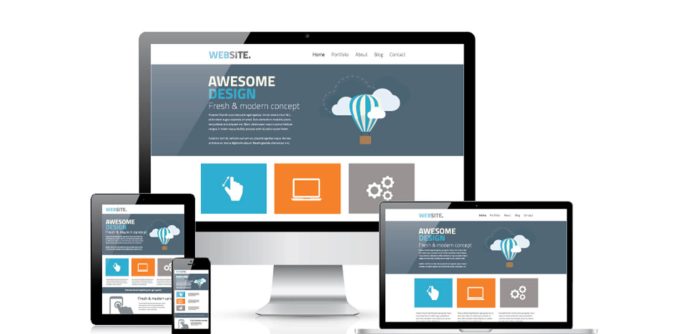
Responsive design mobile web wired tablet examples laptop

Responsive web design best practices are essential in today’s digital landscape where users access websites from a myriad of devices. The ability to deliver an exceptional user experience, regardless of screen size, is what sets successful websites apart from the rest.

By implementing fluid grids, effective media queries, and flexible images, web designers can ensure that their layouts adapt seamlessly to any device. This not only enhances user satisfaction but also positively influences search engine rankings, making responsive design a crucial element for any online presence.

Best Practices for Responsive Web Design

Responsive practices

Responsive web design is essential in today’s digital landscape where users access websites from various devices, including smartphones, tablets, and desktops. Implementing best practices ensures a seamless experience regardless of screen size, fostering user engagement and satisfaction. By focusing on fluid grids, effective media queries, and flexible images, designers can create adaptable layouts that enhance usability and accessibility.

Fluid Grids

Fluid grids are a core principle of responsive web design, emphasizing the relative sizing of elements instead of fixed dimensions. This approach allows a layout to adapt smoothly to different screen sizes. Unlike traditional pixel-based layouts, fluid grids use percentages for width, enabling containers and their contents to scale proportionally as the viewport changes. This ensures that the design remains consistent and visually appealing across devices.

For example, a fluid grid layout can define a three-column design that adjusts to a single-column view on smaller screens. Here’s a simple CSS example:

.container 
    display: flex;
    flex-wrap: wrap;

.column 
    flex: 1 1 30%; /* Adjusts to 30% width on larger screens
-/
    box-sizing: border-box;

This structure allows columns to shrink or stack based on available space, providing users with an optimal viewing experience.

Media Queries

Media queries play a crucial role in responsive design by enabling different styles based on device characteristics like width, height, and orientation. They allow developers to apply specific CSS rules depending on the screen size, ensuring that the layout adapts effectively.

Effective media queries can target various breakpoints, allowing for tailored adjustments. Here are examples of commonly used media queries:

@media (max-width: 768px) 
    .column 
        flex: 1 1 100%; /* Stacks columns on smaller screens
-/
    

@media (min-width: 769px) and (max-width: 1024px) 
    .column 
        flex: 1 1 45%; /* Adjusts to two columns on tablets
-/
    

These media queries ensure that the design is responsive and user-friendly across a range of devices, from mobile phones to tablets and desktops.

Flexible Images

Flexible images are vital for maintaining a responsive layout, allowing images to scale properly within their containing elements. Ensuring that images are adaptable helps avoid issues like distortion or overflow, which can disrupt the user experience.

To achieve flexible images, use relative units or set max-width properties. This approach enables images to resize according to the viewport while preserving their aspect ratio. Here’s a CSS example:

img 
    max-width: 100%; /* Ensures images do not exceed their container's width
-/
    height: auto;    /* Maintains aspect ratio
-/

By implementing these techniques, designers can create visually appealing and responsive designs that effectively convey content, regardless of the device being used. This leads to a better overall experience for users and enhances the effectiveness of the website.

Impact of Responsive Design on Search Engine Marketing

Responsive web design significantly enhances user experience, which in turn can influence search engine rankings. When users encounter a website that adapts seamlessly to their device—be it a smartphone, tablet, or desktop—they are more likely to engage with the content, leading to longer session durations and reduced bounce rates. These factors are crucial for search engine algorithms, which prioritize user engagement metrics when determining site rankings.

In the realm of Search Engine Marketing (SEM), the shift towards mobile-first indexing by search engines like Google illustrates the critical need for responsive design. Google now predominantly uses the mobile version of a site for indexing and ranking, underscoring the importance of creating an optimized mobile experience. If a website does not perform well on mobile devices, it risks dropping in search rankings, which can directly affect visibility and traffic.

Mobile-First Indexing Implications for Web Design

Mobile-first indexing necessitates that web designers prioritize the mobile user experience in their design choices. This means ensuring that the mobile site contains the same content as the desktop version, as well as optimizing loading speeds and accessibility. The implications extend to the following key areas:

  • Content Consistency: Both mobile and desktop versions must provide the same valuable information, ensuring users find what they need regardless of their device.
  • Page Speed Optimization: Faster load times on mobile devices enhance user experience and are critical for improved rankings; Google’s Core Web Vitals update emphasizes this aspect.
  • Structured Data Use: Implementing structured data can optimize how search engines interpret content, aiding visibility across devices.
  • User Interface Design: A clean, intuitive design tailored for touch interactions can greatly improve user satisfaction and engagement rates.

Considering these aspects is crucial for effective search engine marketing strategies.

“Responsive design not only boosts user experience but also acts as a powerful tool for improving search engine visibility.”

Best Practices for Integrating Responsive Design with Paid Search Strategies

Integrating responsive design into paid search strategies is essential for maximizing ad performance and user engagement. Here are some best practices to consider:

  • Ad Customization: Create responsive ads that automatically adjust to fit various device sizes, ensuring a cohesive experience from ad click to landing page.
  • Device-Specific Targeting: Tailor ad content based on the device used, focusing on mobile-friendly offers or calls-to-action.
  • Landing Page Optimization: Ensure landing pages maintain a consistent branding and design across devices, enhancing user trust and conversion rates.
  • Monitor Performance Metrics: Regularly analyze ad performance on different devices and optimize campaigns based on user behavior and conversion path effectiveness.

By applying these practices, marketers can harness the full potential of responsive web design, ensuring their paid search strategies achieve maximum efficiency and effectiveness.

Role of Responsive Web Design in Social Media and Promotion

In today’s digital landscape, the intersection of responsive web design and social media has become increasingly vital for effective online promotion. As social media platforms continue to evolve, optimizing landing pages for social media sharing is essential. A well-optimized landing page not only enhances user experience but also boosts engagement and conversions when shared across various platforms.

Responsive design facilitates seamless access to content, ensuring that users have a consistent experience regardless of the device they use. This adaptability is particularly important in the realm of video marketing, which has become a dominant form of content across social media platforms.

Importance of Optimizing Landing Pages for Social Media Sharing

Crafting landing pages that are tailored for social media sharing can significantly impact campaign performance. A landing page that is visually appealing, easy to navigate, and mobile-friendly can lead to higher click-through rates and better user engagement. Here are key factors to consider for optimizing landing pages:

  • Clear Call-to-Action: Ensure that your landing page has a prominently displayed call-to-action (CTA) that motivates users to engage further, whether that means signing up for a newsletter, downloading a resource, or making a purchase.
  • Social Sharing Buttons: Include easily accessible social sharing buttons that allow users to share your content with their networks, enhancing reach and visibility.
  • Compelling Visuals: Use high-quality images and videos that resonate with your target audience and encourage sharing on visually-focused platforms like Instagram and Pinterest.
  • Mobile Optimization: Since many users access social media through mobile devices, ensure that your landing pages load quickly and look great on smaller screens.

Responsive Design Enhances Video Marketing Effectiveness

The integration of responsive web design significantly enhances the effectiveness of video marketing across devices. Videos are a powerful tool for storytelling and engagement, and their impact is amplified when they are accessible on any device. Key points include:

  • Adaptive Playback: Responsive design allows videos to adjust in size and quality based on the user’s device, ensuring a smooth viewing experience with minimal buffering.
  • Increased Engagement: Videos embedded within responsive designs tend to generate more shares and interactions, as they are easily viewable on smartphones and tablets, which are widely used for social media browsing.
  • Benefits: Video content can improve search engine rankings, and when paired with responsive design, it can attract a broader audience from social platforms, leading to increased organic traffic.

Strategies for Promoting a Responsive Site on Social Networking Platforms

Promoting a responsive website effectively requires strategic thinking tailored to the unique characteristics of each social media platform. Here are some strategies to consider:

  • Platform-Specific Content: Tailor your content to fit the tone and style of each social media platform. For example, use professional visuals on LinkedIn while keeping it casual on Twitter.
  • Engagement-Driven Posts: Create posts that encourage interaction, such as polls, questions, or user-generated content that can lead to organic sharing and increased visibility.
  • Leverage Influencers: Collaborate with influencers who align with your brand to tap into their audience and promote your responsive site through authentic recommendations.
  • Consistent Branding: Maintain consistent branding across all platforms, including colors, logos, and messaging, to enhance recognition and trust when users encounter your links.

Last Word

Responsive design mobile web wired tablet examples laptop

In summary, mastering responsive web design best practices is integral to staying competitive in a rapidly evolving digital world. By focusing on user experience and embracing the principles discussed, you can create websites that are not just visually appealing but also optimized for performance across all devices.

Popular Questions

What is responsive web design?

Responsive web design is an approach that ensures websites provide an optimal viewing experience across a wide range of devices, from desktops to mobile phones.

Why is mobile-first indexing important?

Mobile-first indexing prioritizes the mobile version of a website for indexing and ranking, making responsive design crucial for .

How do media queries work?

Media queries enable the application of different styles based on device characteristics like screen width, height, and resolution, allowing for tailored layouts.

What role do images play in responsive design?

Images must be flexible and able to scale properly to maintain quality and performance on different devices, enhancing the overall user experience.

How can social media impact responsive design?

Responsive designs improve the effectiveness of social media promotions by ensuring that shared content displays well on various devices, increasing engagement.