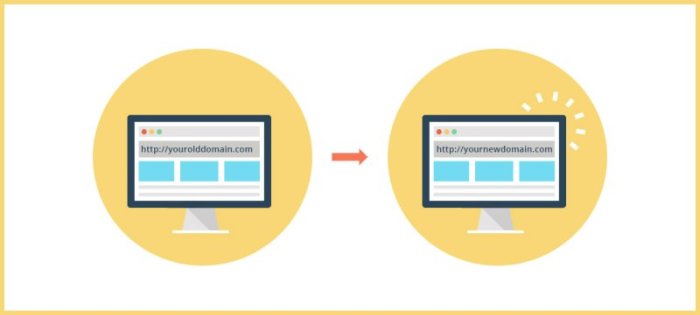
How to migrate a website to new hosting made easy

Migrate

How to migrate a website to new hosting is not just a task; it’s an adventure filled with challenges and rewards. Whether you’re upgrading to a more powerful server or switching to a better service provider, understanding the migration process can make all the difference.

With the right preparations and a solid plan, you can ensure a smooth transition that minimizes downtime and preserves your site’s performance. This guide will walk you through the essential steps, technical considerations, and post-migration strategies to help your website thrive in its new home.

Website Migration Process
How to migrate a website to new hosting

Migrating a website to new hosting can seem daunting, but it’s a necessary task that ensures better performance, security, and support for your online presence. This process involves several key steps that must be followed carefully to ensure a smooth transition with minimal downtime.Preparation is crucial before embarking on the migration journey. Proper backup of all website files and databases, as well as thorough documentation of existing configurations and settings, can save significant headaches later.

Steps Required to Migrate a Website

To ensure a seamless website migration, it’s essential to follow these steps:

1. Backup Your Website

Create a complete backup of your files and databases. This ensures that if anything goes wrong during migration, you can restore your site to its original state.

2. Choose New Hosting Provider

Analyze and select a hosting provider that meets your website needs, including storage, bandwidth, and customer support.

3. Transfer Domain (if necessary)

If you are moving your domain name to a new registrar, start the transfer process by unlocking the domain and obtaining the authorization code.

4. Upload Files to New Host

Use FTP or your host’s file manager to upload your website files to the new hosting server.

5. Import Database

If your website uses a database, export it from your old host and import it into the new hosting environment.

6. Update Configuration Files

Modify any necessary configuration files with the new database connection details, file paths, or other changes.

7. Test the Website

Before pointing your domain to the new host, test your website using a temporary URL provided by the new hosting provider to ensure everything functions correctly.

8. Update DNS Records

Change your domain’s DNS settings to point to the new hosting server. This step may take some time to propagate across the internet.

9. Final Testing and Verification

Once DNS changes have propagated, perform a thorough check of your website to ensure that all functions, links, and features are working.

Necessary Preparations Before Migration

Before migrating, it’s critical to make the following preparations to avoid complications and ensure a successful transition.

Create a Website Backup

Always back up your entire website, including files and databases, before proceeding with migration. Tools like cPanel or plugins can facilitate this process.

Document Your Current Setup

Keep a record of your current website settings, including configurations, email accounts, and any custom settings, to replicate them in the new environment.

Choose a Suitable Hosting Plan

Evaluate your website’s needs and select a hosting plan that provides adequate resources, performance, and scalability for future growth.

Checklist of Items to Verify After Migration

After the migration process is complete, it’s essential to verify various aspects of your website to ensure everything is functioning correctly. Use the following checklist as a guide:

Website Functionality

Confirm that all pages load correctly and that there are no broken links or missing images.

Database Connectivity

Ensure that your website can connect to the new database and access all necessary data.

SSL Certificate

Check that your SSL certificate is installed correctly if your site uses HTTPS.

Email Accounts

Verify that any email accounts related to your domain are set up and functioning correctly.

Settings

Review your settings to ensure they remain intact, including meta tags, redirects, and sitemap accessibility.

Performance Monitoring

Monitor website performance metrics such as load times and server response times to ensure the new hosting environment meets expectations.

Backup Plan

Establish a new backup routine for your website on the new hosting provider to safeguard against data loss.

“Preparation and thorough testing are key components in ensuring a seamless website migration.”

Technical Considerations

When migrating a website, several technical considerations are crucial to ensure a smooth transition. Properly addressing these areas can prevent downtime, data loss, and performance issues. Understanding the significance of DNS configuration, evaluating different hosting types, and being aware of common technical challenges can greatly affect the outcome of your migration.

Importance of DNS Configuration

DNS (Domain Name System) configuration plays a pivotal role during website migration. Correctly managing DNS settings ensures that traffic is directed to the new hosting server without interruption. A misconfigured DNS can lead to downtime, which can affect user access and negatively impact rankings. It’s important to:

  • Update DNS records to point to the new server’s IP address, ensuring changes propagate correctly.
  • Utilize TTL (Time to Live) settings to control how long DNS records are cached by users’ ISPs, allowing for quicker updates during the transition.
  • Set up a temporary subdomain to validate the new hosting setup before making the final switch, minimizing risk.

A careful approach to DNS management can mitigate potential issues and support a seamless transition for your website visitors.

Pros and Cons of Different Hosting Types

Choosing the right hosting type is essential for performance and scalability during your migration. Each hosting type offers unique advantages and disadvantages:

  • Shared Hosting: Cost-effective and beginner-friendly; however, it often lacks performance reliability and resources can be limited due to multiple sites sharing the same server.
  • VPS Hosting: Provides dedicated resources, allowing for better performance and customization. The downside can be higher costs and the need for management skills.
  • Dedicated Hosting: Offers complete control and maximum performance since resources are not shared. On the flip side, this option is generally the most expensive and requires server management expertise.

Selecting the right hosting type depends on your website’s traffic, performance needs, and budget.

Common Technical Issues and Their Solutions

During the migration process, you may encounter several technical issues that can disrupt the launch of your new website. Understanding these common problems and knowing how to address them can save time and stress:

  • Data loss during transfer can occur if backups are not adequately managed. Always ensure you have complete backups before migrating.
  • Website downtime can happen due to DNS propagation delays. Monitoring your DNS changes and configuring a lower TTL can help minimize this issue.
  • Compatibility issues can arise, especially if the new host uses different software versions. Testing the website in a staging environment can help catch these issues before the final migration.

By being aware of these potential hiccups and preparing solutions in advance, you can ensure a smoother migration experience for your website.

Post-Migration Marketing Strategies

Migrate

Post-migration is a crucial phase in the website transition process, as it involves maintaining and enhancing your site’s visibility and performance. Implementing effective marketing strategies after migration can help sustain or even improve your search engine rankings, promote your newly hosted website through social media, and leverage video marketing to enhance overall visibility and engagement.

Maintaining or Improving Search Engine Rankings

After migrating your website, it is essential to focus on strategies that ensure your search engine rankings remain stable or improve. Here are some effective strategies to consider:

  • Conduct a complete audit of your new site to confirm that all pages have been properly redirected and indexed by search engines.
  • Update your sitemap and submit it to search engines to ensure they can find and index your new site structure efficiently.
  • Monitor your website’s performance closely using analytics tools to identify any drops in traffic or rankings.
  • Implement a content update strategy to refresh existing content and add new relevant content that aligns with user search intent.

Ensuring all your redirects are functioning properly is crucial; a broken link can lead to lost traffic and negatively impact .

The Role of Social Media in Promoting a Newly Hosted Website

Social media serves as a powerful platform to promote your newly hosted website, driving traffic and engaging with your audience. The following strategies can enhance your social media promotion efforts:

  • Share posts that highlight the benefits of your new website hosting, such as improved speed or user experience.
  • Create engaging content like polls, quizzes, or contests to encourage user interaction and increase visibility.
  • Utilize targeted ads to reach specific demographics interested in your products or services, driving traffic to your new site.
  • Encourage your followers to share your content, expanding your reach to their networks and increasing brand awareness.

Social media engagement can significantly amplify your website’s visibility, leading to increased traffic and improved performance.

Leveraging Video Marketing to Enhance Visibility

Video marketing can significantly boost your website’s visibility after migration. It allows you to convey information engagingly and effectively. Here are some ways to leverage video marketing:

  • Create a welcome video that explains the benefits of your new hosting environment and highlights any new features or services.
  • Produce tutorial videos that guide users on how to navigate your new site or use new functionalities.
  • Share customer testimonial videos that showcase positive experiences with your brand, fostering trust and credibility.
  • Use live streams on platforms like Facebook or Instagram to engage with your audience in real-time, promoting your new website and answering questions.

Videos not only increase engagement but also improve your website’s , as search engines favor rich media content.

Ultimate Conclusion

In conclusion, successfully migrating your website to new hosting can open doors to enhanced performance and user experience. By following the Artikeld process and addressing technical aspects, you can rest assured that your site will not only survive the move but also flourish. Embrace the journey, and watch your online presence reach new heights.

Quick FAQs

What is website migration?

Website migration refers to the process of transferring your website’s files, data, and settings from one hosting provider to another or changing the structure of your site.

How long does website migration take?

The duration of website migration can vary, typically ranging from a few hours to a couple of days, depending on the size of the site and the complexity of the migration.

Will my website go offline during migration?

With proper planning and execution, you can minimize downtime, ensuring your website remains accessible during the transition.

Do I need technical skills to migrate my website?

While some technical knowledge can be helpful, many hosting providers offer tools and support to assist with migration, making it manageable even for beginners.

What should I do if something goes wrong during migration?

If issues arise during migration, having a backup and your documentation handy will allow you to restore your site quickly and troubleshoot any problems.

Niche-specific bookmarking websites Unlocking Digital Potential

Niche-specific bookmarking websites

Niche-specific bookmarking websites are the hidden gems of the internet, catering to particular interests and communities. These platforms allow users to save and share content that resonates with their unique passions, offering a more tailored experience than general bookmarking sites. By focusing on specific niches, these websites not only enhance user engagement but also improve content visibility within targeted audiences.

Exploring the world of niche-specific bookmarking websites reveals how they differ from broader platforms, their impact on search engine marketing, and the potential they hold for leveraging social media. As we dive into this topic, we’ll uncover various examples, strategies, and best practices that can elevate your online presence.

Understanding Niche-Specific Bookmarking Websites

Niche-specific bookmarking websites

Niche-specific bookmarking websites serve as curated online spaces tailored to specific interests, communities, or industries. These platforms allow users to save, categorize, and share content that aligns with their unique passions and expertise. Unlike general bookmarking sites that cater to a wide audience, niche-specific platforms focus on delivering specialized content and resources, making them invaluable for enthusiasts and professionals alike.The primary advantage of niche-specific bookmarking sites is their ability to provide a targeted environment for sharing and discovering content relevant to specific subjects.

This enhances the user experience by filtering out noise and delivering tailored suggestions. Users benefit from a community of like-minded individuals, fostering engagement and collaboration around shared interests.

Examples of Popular Niche-Specific Bookmarking Sites

Several niche-specific bookmarking websites stand out due to their unique features and offerings. These platforms not only allow bookmarking but also include various tools and resources designed to enhance user interaction and content sharing.

  • Pinterest: This platform caters primarily to visual content and is widely used for DIY projects, fashion inspiration, and recipes. It allows users to create boards categorized by interests, making it easy to organize and share visual ideas.
  • Delicious: One of the original bookmarking services, Delicious has a strong focus on linking to websites and articles relevant to various professional fields. Users can add tags for better organization and discover content based on a collaborative tagging system.
  • Dribbble: A niche site for designers, Dribbble allows users to showcase their work, receive feedback, and bookmark design inspirations. It’s a community-centric platform that emphasizes collaboration among creative professionals.
  • Foodgawker: Targeted at food lovers and culinary enthusiasts, Foodgawker offers a platform for users to share food-related images and recipes. The site curates submissions based on quality, ensuring a visual feast of the best culinary content.

The distinction between niche-specific bookmarking platforms and general bookmarking services lies in their focus and community. General platforms like Google Bookmarks or Pinboard serve a broad audience without specialization, leading to a mixed bag of content. In contrast, niche-specific sites create a concentrated environment where users can find exactly what they need without sifting through unrelated material.

“Niche-specific bookmarking sites enhance user engagement and content discovery by providing tailored experiences.”

Role of Bookmarking in Search Engine Marketing

Bookmarking plays a crucial role in shaping search engine marketing (SEM) strategies, offering unique opportunities for increasing online visibility and driving traffic. By utilizing niche-specific bookmarking websites, marketers can effectively enhance their content’s reach and authority, which ultimately translates into improved search engine rankings. This section delves into the various impacts that bookmarking has on SEM, along with techniques for utilizing niche bookmarking effectively.Niche bookmarking websites serve as specialized platforms that cater to specific audiences, allowing marketers to capture targeted traffic more efficiently.

When businesses share their content on these platforms, they not only gain backlinks but also enhance their credibility within their respective niches. The strategic use of bookmarking can lead to an increase in site authority, as search engines recognize the referral traffic and engagement generated from these sources. Furthermore, bookmarking can facilitate greater brand exposure and help create a community around the business’s content.

Techniques for Utilizing Niche Bookmarking

Implementing effective techniques for niche bookmarking can significantly enhance online visibility. Here are some strategies that can be employed:

  • Identify Relevant Platforms: Research and select bookmarking sites that align with your industry. Choosing platforms frequented by your target audience maximizes engagement.
  • Engage with the Community: Participate in discussions and share insights on niche forums. Building relationships within the community can lead to higher visibility for your contributions.
  • Optimize Content for Search: Ensure that the content shared on bookmarking sites is -friendly. Use relevant s and compelling descriptions that attract clicks.
  • Monitor Performance: Track the traffic and engagement generated from bookmarking efforts. Tools like Google Analytics can provide insights into user behavior and content effectiveness.
  • Regular Updates: Consistently share fresh and relevant content. Keeping your profile active and updated ensures that you remain visible to users.

Best Practices for Integrating Bookmarking into Marketing Campaigns

Integrating bookmarking into your marketing campaigns requires careful planning and execution. The following best practices can help streamline this process:

  • Consistency is Key: Regularly bookmark relevant content to maintain an active presence on niche platforms, which can boost visibility.
  • Quality Over Quantity: Focus on creating high-quality content that provides value to users, rather than simply increasing the number of bookmarks.
  • Leverage Analytics: Utilize data to refine your bookmarking strategies. Analyzing which content performs best can guide future campaigns.
  • Encourage User Interaction: Create engaging content that prompts users to comment or share. Increased interaction can enhance visibility and credibility.
  • Integrate with Other Marketing Channels: Combine bookmarking efforts with social media and email marketing to create a cohesive marketing strategy.

“Effective bookmarking can serve as a powerful catalyst for enhancing both visibility and authority in search engine marketing.”

Integration of Social Media with Bookmarking Strategies

Niche-specific bookmarking websites

The integration of social media with niche-specific bookmarking strategies can significantly enhance visibility and engagement, bridging the gap between content discovery and audience interaction. As users increasingly consume and share content across various platforms, leveraging the interconnectedness of social media and bookmarking can create a powerful synergy that facilitates traffic generation and audience growth.Social media engagement plays a crucial role in the effectiveness of niche bookmarking.

Bookmarking sites often serve as repositories of valuable content, while social media platforms offer the immediacy and reach necessary to promote that content. When users share bookmarked content on social media, they help amplify its visibility, driving additional traffic back to the original source. This relationship fosters a community of users who are more inclined to engage with and share high-quality content, thus creating a cycle of continuous interaction and growth.

Methods to Leverage Social Media for Bookmarking Content Promotion

Utilizing social media platforms effectively for promoting bookmarked content requires strategic planning. Here are methods to enhance your bookmarking strategy by integrating it with social media engagement:

1. Cross-Promotion of Content

Share your bookmarked content on various social media platforms to reach different audiences. Tailor your message for each platform to improve engagement. For instance, create visually appealing posts for Instagram that highlight key points from the content.

2. Engaging Visuals

Develop eye-catching graphics or infographics that encapsulate the essence of your bookmarked content. Infographics are particularly shareable, making them ideal for platforms like Pinterest.

3. Utilizing Hashtags

Incorporate relevant hashtags when sharing your bookmarked content on social media. This practice helps categorize your posts and makes them discoverable to a wider audience looking for specific topics.

4. Creating Social Media Groups

Form or join niche-specific groups on platforms like Facebook or LinkedIn where you can share your bookmarks and engage in discussions. Being part of a community fosters trust and credibility.

5. Collaborating with Influencers

Partner with influencers within your niche who can share your bookmarked content with their followers. Their endorsement can significantly boost credibility and reach.

6. Host Contests and Giveaways

Encourage users to bookmark and share your content on social media by hosting contests. This not only boosts engagement but also increases the likelihood of your content being shared widely.

Campaign Framework Combining Social Networking with Niche Bookmarking

To drive traffic through a campaign that combines social networking with niche bookmarking, consider the following framework:

Objective Setting

Define clear objectives for your campaign, such as increasing website traffic by 30% over the next three months or generating a specific number of bookmarks for a piece of content.

Content Creation

Develop high-value content tailored to your niche audience. This could be blog posts, how-to guides, or videos that users find valuable enough to bookmark and share.

Social Media Strategy

Choose the right social media platforms based on where your target audience is most active. Create a content calendar that Artikels when and where to share your content.

Engagement Tactics

Encourage users to engage with your content by asking questions or prompting discussions related to the bookmarked content. Responses should be monitored to foster community interaction.

Tracking and Analysis

Utilize analytics tools to track the performance of your campaign. Measure engagement rates, traffic sources, and community growth to assess the effectiveness of your strategies.

Feedback Loop

Collect feedback from your audience through polls or surveys. This information is invaluable in refining future campaigns and ensuring continued relevance in your niche.By effectively integrating social media with your bookmarking strategies, you can create a robust online presence that drives traffic and fosters community engagement.

Wrap-Up

In summary, niche-specific bookmarking websites play a crucial role in enhancing online visibility and fostering community engagement. By understanding their unique features and integrating them with social media strategies, you can create dynamic marketing campaigns that resonate with specific audiences. Embracing these platforms not only helps in driving traffic but also builds a loyal following, making them invaluable tools in the digital landscape.

Quick FAQs

What are niche-specific bookmarking websites?

Niche-specific bookmarking websites are online platforms designed for users to save and share links related to specific interests or topics, offering more tailored content than general bookmarking sites.

How do these sites benefit ?

They enhance by increasing backlinks and visibility for targeted s within specific communities, improving overall search engine rankings.

Can social media enhance my niche bookmarking efforts?

Yes, integrating social media allows for broader content promotion, driving traffic and increasing engagement on your niche bookmarking platform.

What are some popular niche bookmarking websites?

Popular examples include Pinterest for visual content, Digg for news articles, and StumbleUpon (now Mix) for discovering web content based on user interests.

How can I effectively use niche bookmarking in my marketing strategy?

Incorporate niche bookmarking by sharing relevant content, engaging with target audiences, and utilizing the unique features of each site to enhance your brand’s reach.

Website promotion through guest posting for growth

Website promotion through guest posting

Website promotion through guest posting opens up a world of opportunities for enhancing your online presence. Imagine leveraging the authority of established blogs to boost your own site’s visibility and credibility while engaging with new audiences. This strategy not only enhances your brand’s reach but also fosters valuable connections within your niche.

In this exploration, we will delve into why guest posting is pivotal for online promotion, revealing effective strategies for identifying the right platforms and crafting compelling content. Additionally, we will discuss how to integrate this tactic with other marketing efforts to maximize your outreach.

Importance of Guest Posting in Website Promotion

Website promotion through guest posting

Guest posting has emerged as a vital strategy for website promotion, allowing businesses and individuals to expand their reach and enhance their online presence. In a digital landscape saturated with content, leveraging guest posting can significantly boost visibility and credibility. This method not only helps in showcasing expertise but also fosters connections within the industry.The significance of guest posting goes beyond mere visibility.

It plays a crucial role in improving a website’s domain authority and credibility, which are essential for ranking higher in search engine results. When a website is featured on reputable platforms, it gains quality backlinks, an essential factor that search engines consider when evaluating a site’s trustworthiness and relevance. Consequently, guest posting contributes directly to enhancing a website’s performance.

Enhancing Online Visibility and Credibility

Guest posting serves as a powerful tool for enhancing online visibility and establishing credibility within a particular niche. By publishing content on established websites, individuals and brands can tap into an audience that is already engaged and interested in similar topics. This strategy leads to increased exposure, allowing authors to present their viewpoints and expertise to a wider audience.Quality guest posts can result in significant benefits, including:

  • Boosted traffic: Direct referrals from guest posts can lead to increased website visits.
  • Improved : Quality backlinks from authoritative sites enhance a website’s search engine ranking.
  • Enhanced authority: Consistently contributing valuable content builds the author’s reputation as an expert in their field.

In the realm of online marketing, these factors collectively contribute to a more robust online presence, making guest posting an integral component of effective promotional strategies.

Impact on Audience Engagement

The relationship between guest posting and audience engagement is significant. When articles are crafted with the target audience in mind, they not only attract readers but also encourage them to interact with the content, thus fostering a community around the subject matter. Engaging content prompts discussions, shares, and further exploration of the author’s other works.Guest posts that resonate with readers often lead to:

  • Increased social shares: Engaging content is more likely to be shared across social media platforms, multiplying reach.
  • Comments and feedback: Encouraging readers to leave comments can foster a dialogue, increasing engagement.
  • Subscriber growth: Valuable content can entice readers to subscribe to newsletters or follow the author for more insights.

This level of engagement not only benefits the guest poster but also enriches the host site, creating a win-win scenario that cultivates a loyal audience base.

“Quality content drives engagement, and guest posting is a powerful means to achieve that while building a reputable online presence.”

Strategies for Effective Guest Posting

Website promotion through guest posting

Identifying the right opportunities and creating engaging content are vital components of successful guest posting. This strategy not only boosts your website’s authority but also expands your reach to new audiences. Here, we’ll explore effective methods for finding suitable blogs, crafting compelling content, and organizing follow-ups after submissions.

Identifying Suitable Blogs and Websites for Guest Contributions

Finding the right platforms for guest posting is essential for maximizing your outreach. The ideal blogs should align with your niche and have an engaged audience. Consider using the following methods to identify these opportunities:

  • Conduct Google Searches: Use s related to your niche along with phrases like “write for us,” “guest post guidelines,” or “contribute.” This will help you discover blogs actively seeking guest contributors.
  • Utilize Social Media: Platforms like Twitter and LinkedIn can be excellent for connecting with bloggers and discovering guest post opportunities. Search for relevant hashtags such as #GuestPost or #WriteForUs.
  • Analyze Competitors: Check where your competitors are guest posting. Tools like Ahrefs can help you see backlinks pointing to their site from guest posts.
  • Join Blogging Communities: Online forums and groups related to your niche often have discussions on guest posting opportunities. Participating in these communities can lead to valuable connections.

Best Practices for Creating Compelling Content

Once you’ve identified suitable blogs, the next step is to create content that resonates with their audience. Understanding the host site’s audience is crucial in this process. Here are best practices to consider:

  • Research Existing Content: Examine the blog’s previous posts to understand the tone, style, and topics that perform well. This insight helps you tailor your content accordingly.
  • Deliver Value: Focus on providing actionable insights or unique perspectives that the audience can benefit from. Prioritize quality over quantity.
  • Engage with Personal Stories: When relevant, incorporate personal anecdotes or case studies to make your content relatable and engaging.
  • Adhere to Guidelines: Follow the host site’s guest posting guidelines meticulously, including word count, formatting, and linking policies.

Checklist for Outreach and Follow-up After Submitting Guest Posts

An organized approach to outreach and follow-up can significantly increase your chances of acceptance and publication. Here’s a checklist to keep in mind:

  • Craft a Personalized Pitch: Tailor your outreach email to the specific blog by mentioning why you admire their work and how your topic fits their audience.
  • Include Relevant Samples: Attach links to your previous work or samples that showcase your writing style and expertise.
  • Follow Up Respectfully: If you haven’t heard back after a week or two, send a polite follow-up email to inquire about the status of your submission.
  • Thank the Host: Regardless of the outcome, express gratitude for their consideration. Building relationships is key for future opportunities.

The success of guest posting lies not just in producing quality content but also in strategically positioning that content on the right platforms.

Integrating Guest Posting with Other Marketing Tactics

Integrating guest posting with other marketing strategies can significantly enhance the overall effectiveness of your promotional efforts. By leveraging diverse marketing tactics, businesses can maximize their reach and engagement, building a more robust online presence. This approach not only amplifies the visibility of your brand but also brings in a more targeted audience.

Complementing Social Media Marketing Efforts

Guest posting and social media marketing can work hand in hand to broaden your reach. When you publish articles on reputable blogs or websites, you can share those links across your social media channels to drive traffic back to the original post. This not only enhances your credibility but also encourages social sharing, effectively increasing your content’s visibility. Moreover, influential bloggers and websites often have a strong social media presence.

When they share your guest post, it exposes your brand to their followers, which can lead to increased engagement and potential conversion. Consider the following ways to integrate these two approaches:

  • Share your published guest posts across all social media platforms to encourage engagement.
  • Request that blog owners share your post on their social channels, boosting its visibility.
  • Engage with comments and discussions generated from both the guest post and social media shares to build relationships.

Role of Guest Posting in Search Engine Marketing Campaigns

Incorporating guest posting into your search engine marketing (SEM) strategy can significantly enhance your website’s authority and visibility. Quality backlinks from authoritative sites not only improve your rankings in search engines but also drive relevant traffic directly to your site. Guest posts that are optimized for search engines can include targeted s, which helps in achieving better search visibility.By securing backlinks from well-established websites, you can also enhance your site’s domain authority, which is a crucial factor that search engines consider when ranking pages.

The following points highlight the benefits of combining guest posting with SEM:

  • Establishes authority and trustworthiness in your niche, leading to improved SERP rankings.
  • Creates opportunities for optimization within your articles.
  • Generates quality backlinks that increase your website’s credibility.

Comparison of Guest Posting with Other Promotional Strategies

When evaluating promotional strategies, it’s essential to understand how guest posting compares with methods like social bookmarking and video marketing. Each strategy has its strengths and weaknesses, and recognizing these can help businesses choose the right mix for their marketing efforts.Guest posting is often more beneficial for long-term brand authority and benefits compared to social bookmarking, which tends to provide short-term traffic spikes but less lasting impact.

In contrast, video marketing can offer highly engaging content but may require more resources and time to produce effectively. Here’s a comparative overview:

Strategy Benefits Limitations
Guest Posting Enhances domain authority, builds credibility, generates backlinks. Can be time-consuming and requires quality content.
Social Bookmarking Quick traffic generation, easy to implement. Limited long-term impact on .
Video Marketing Highly engaging, potential for virality. Time and resource-intensive to create high-quality content.

Final Summary

In conclusion, implementing a guest posting strategy can be a game changer for your website’s promotion efforts. By strategically selecting platforms and creating valuable content, you can significantly boost your online visibility, domain authority, and audience engagement. Embrace guest posting not just as a marketing tool, but as a way to foster community and build lasting relationships within your industry.

FAQ Resource

What is guest posting?

Guest posting is the practice of writing and publishing content on someone else’s blog or website to reach a broader audience.

How does guest posting improve ?

It enhances by earning backlinks from reputable sites, which can boost your site’s authority and ranking in search engines.

Can guest posting help with brand awareness?

Yes, it allows you to showcase your expertise, which can increase recognition and awareness of your brand among new audiences.

How do I find blogs to guest post on?

Search for blogs in your niche that accept guest contributions, use platforms like GuestPost Tracker, or network within your industry.

What types of content work best for guest posts?

Informative articles, how-to guides, and case studies that provide value to the host site’s audience tend to perform best.